
The following are the steps for creating a web page on a windows PC
- Start up the notepad program, you can start it up by just searching it on the search tab on the desktop. You can download notepad++ here https://notepad-plus-plus.org/downloads/ since it has advanced features than the default notepad and install it.
- When one of the text editor is up you can type this
<!DOCTYPE html>
<html>
<head><title>Introduction to web development</title></head>
<body>
<h1>This is my first heading</h1>
<p>This is my first paragraph.</p>
</body>
</html>
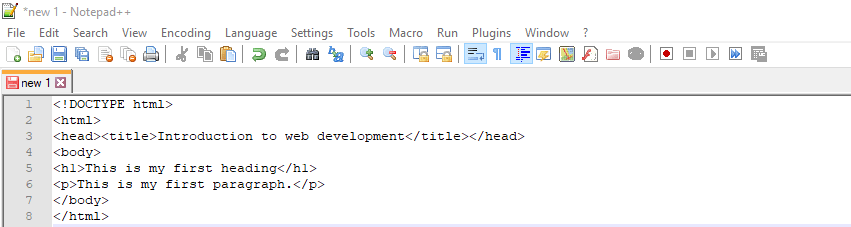
The figure below shows a demonstration
3. After typing the above syntax of a HTML file save the file as index.html (index is the first page/homepage of a website)
The following are the steps for saving the file
- Go to the file tab
- Click on the save as
- A window will appear you can select the location to save your file and name the file with a .html extension
- On the save as type for notepad++ click the drop down menu and select Hyper Text Markup language file. While on the notepad plain change the save as type to all files.
4. After saving it go to the location where you saved the file the icon of the file will be of the default browser on your PC.
5. Double click it and your browser will launch displaying the content of the elements as shown below.

 Study with Jamila
Nice one!
LikeLike