
A list is any information displayed in an organized linear manner.
Types of lists
HTML provides the following three types of lists
- Ordered lists
- Unordered lists
- Definition lists
- Ordered lists
This type of HTML lists provides numbering to the list item, it labels each item on the list with either numbers, alphabets or roman numbers.
To create an ordered list use the <ol> element, <ol> stands for ordered list.
Each list item is created with the <li> element, <li> stands for list item.
Browsers indent lists by default
Example
<!DOCTYPE html>
<html>
<head><title>Lists</title></head>
<body>
<h1> Stationary </h1>
<p> When I go to the book shop I will buy the following stationaries for my son</p>
<ol>
<li>Text books </li>
<li>Exercise books</li>
<li>Coloring books </li>
<li> Pencils </li>
<li> Sharpener </li>
<li> Rubber </li>
</ol>
</body>
</html>
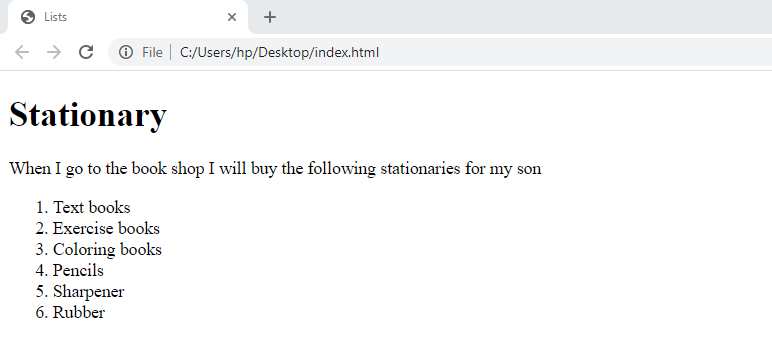
By default browsers display numbers on the list items.
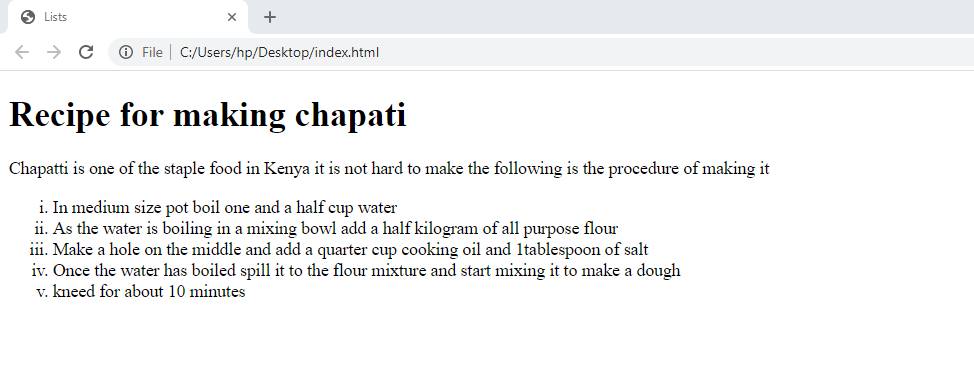
A type attribute can be used on the ordered lists to change the list item marker.
The following are the type attribute for the ordered list
type=”1”
type=”A”
type=”a”
type=”I”
type=”i”
Example
<!DOCTYPE html>
<html>
<head><title>Lists</title></head>
<body>
<h1> Recipe for making chapati</h1>
<p> Chapatti is one of the staple food in Kenya it is not hard to make the following is the procedure of making it
<ol type=”i”>
<li>In medium size pot boil one and a half cup water </li>
<li> As the water is boiling in a mixing bowl add a half kilogram of all purpose flour </li>
<li> Make a hole on the middle and add a quarter cup cooking oil and 1tablespoon of salt </li>
<li>Once the water has boiled spill it to the flour mixture and start mixing it to make a dough</li>
<li> kneed for about 10 minutes </li>
</ol>
</body>
</html>
2. Unordered List
This type of list is used when the web page author wish to use bullets points to mark the list items.
This list is created with the <ul> element, <ul> stands for unordered list.
Each list item is created inside the <li> element which stands for list item.
By default, browser indent lists.
Example
<!DOCTYPE html>
<html>
<head><title>Lists</title></head>
<body>
<h1> Stationary </h1>
<p> When I go to the book shop I will buy the following stationaries for my son</p>
<ul>
<li>Text books </li>
<li>Exercise books</li>
<li>Coloring books </li>
<li> Pencils </li>
<li> Sharpener </li>
<li> Rubber </li>
</ul>
</body>
</html>
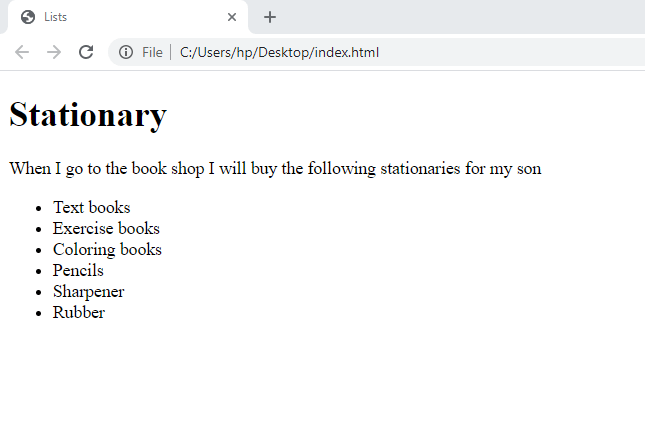
By default browsers display unordered list using bold bullets. When the web page author wish to change the list item marker use the CSS list-style-type property.
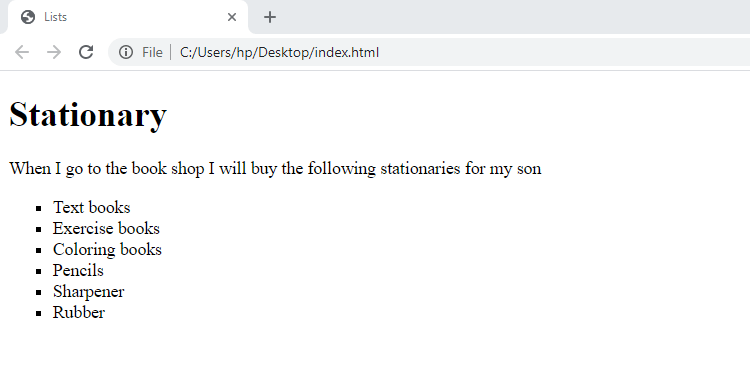
The following are the shape for the unordered list, Disc, Circle, Square, None
The syntax can be as follow
<ul style=”list-style-type:disc”>
Example
<!DOCTYPE html>
<html>
<head><title>Lists</title></head>
<body>
<h1> Stationary </h1>
<p> When I go to the book shop I will buy the following stationaries for my son</p>
<ul style=”list-style-type:square”>
<li>Text books </li>
<li>Exercise books</li>
<li>Coloring books </li>
<li> Pencils </li>
<li> Sharpener </li>
<li> Rubber </li>
</ul>
</body>
</html>
3. Definition List
This is used when the web page author wants to create a list of definitions on a page.
It is created with the <dl> element, it stands for the definition list
Inside the <dl> element put a pair of <dt> and <dd> elements
<dt> stands for the definition term while <dd> stands for the definition data
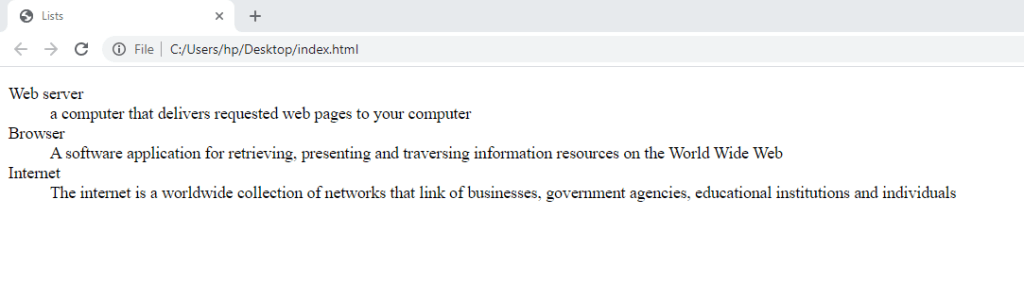
Example
<!DOCTYPE html>
<html>
<head><title>Lists</title></head>
<body>
<dl>
<dt> Web server </dt>
<dd> a computer that delivers requested web pages to your computer </dd>
<dt> Browser </dt>
<dd> A software application for retrieving, presenting and traversing information resources on the World Wide Web </dd>
<dt> Internet </dt>
<dd> The internet is a worldwide collection of networks that link of businesses, government agencies, educational institutions and individuals </dd>
</dl>
</body>
</html>
EXERCISE
- State and explain the THREE types of list in HTML.
- What does the following tags stand for <ol>, <ul>, <li>, <dd>, <dt>, <dl>.
- With examples state the attribute and the CSS property that can be used to change the list item markers on a list.
 Study with Jamila