
The tools that you will need to write your Java programs are as follow
JDK https://www.oracle.com/technetwork/java/javase/downloads/jdk-netbeans-jsp-3413139-esa.html
Netbeans https://netbeans.org/downloads/8.2/rc/
Download the above tools and install them on you PC
Why are we going to use Netbeans IDE?
IDE stands for integrated development environment and below are some of the advantages of the IDE
- It is a free and open source tool.
- It has a powerful Graphical user interface builder.
- It has a high level profiling and Debugging tools.
- Dedicated Support is available.
Above are few merits of using Netbeans IDE to develop your java systems.
The steps involved in writing a Java program using Netbeans:
Once the 2 software have been successfully installed follow the following steps
- Double click the netbeans shortcut created on the desktop.
- Once it is open below is an image which displays the first screen of the IDE
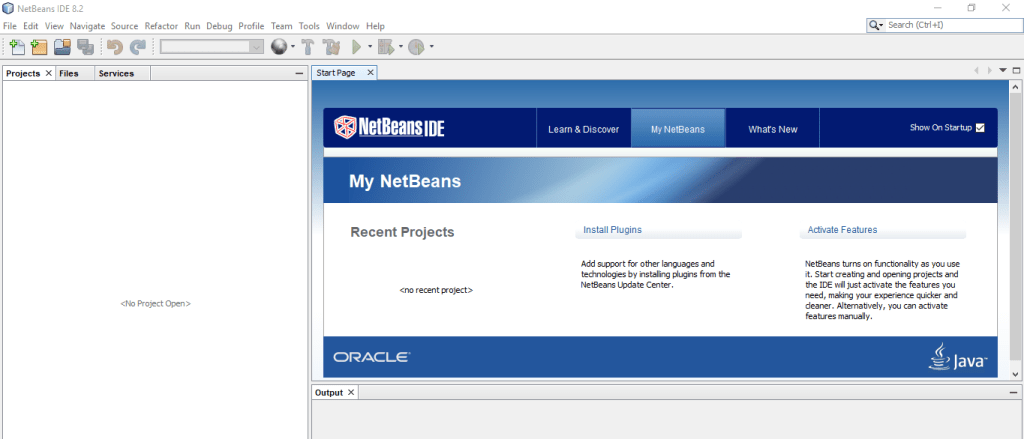
- The next step click on the File tab once that is clicked a drop down menu will appear then select new project. The dialog box below will be displayed.
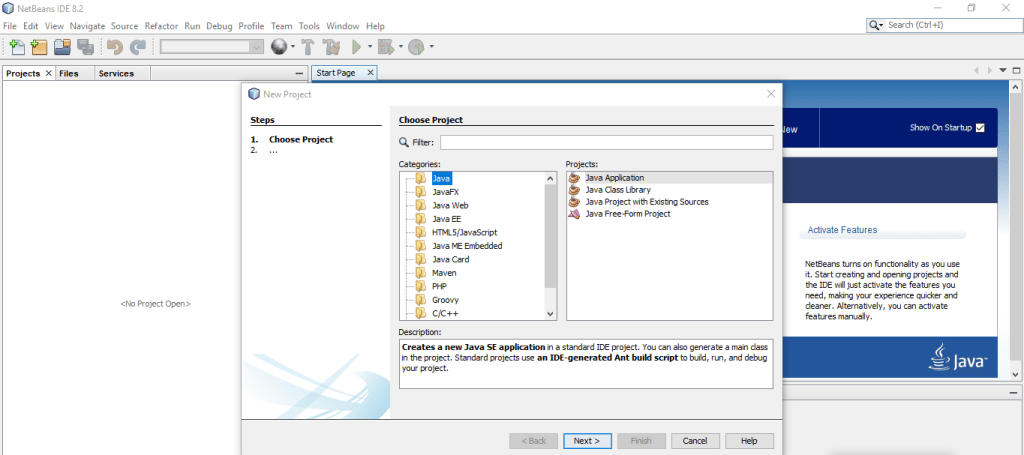
- On the dialog box above select Java on the categories section then select Java application on projects section and press next.
- Once you have clicked the above the dialog box below will appear.
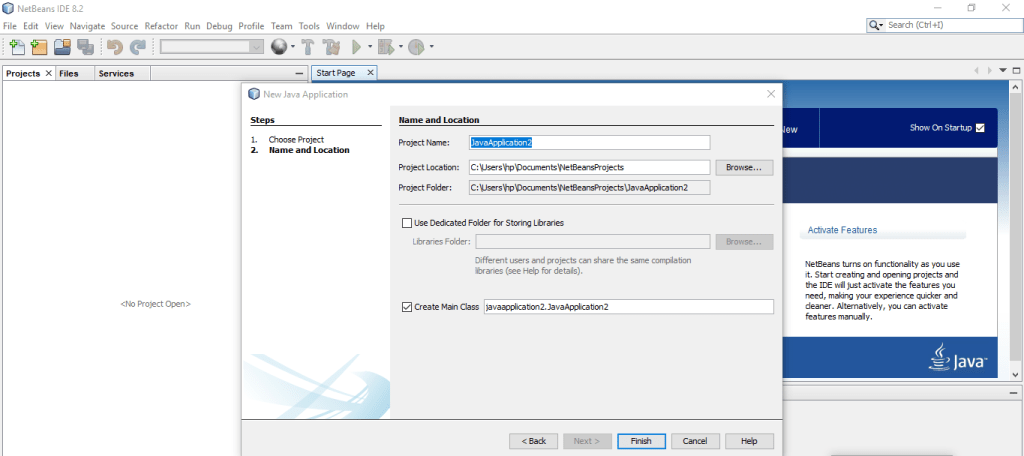
- On the project name label you can now write your class name then click on the finish.
- When all the above steps have been followed the screen below will be displayed.

- On the text editor this is what the tool will generate.
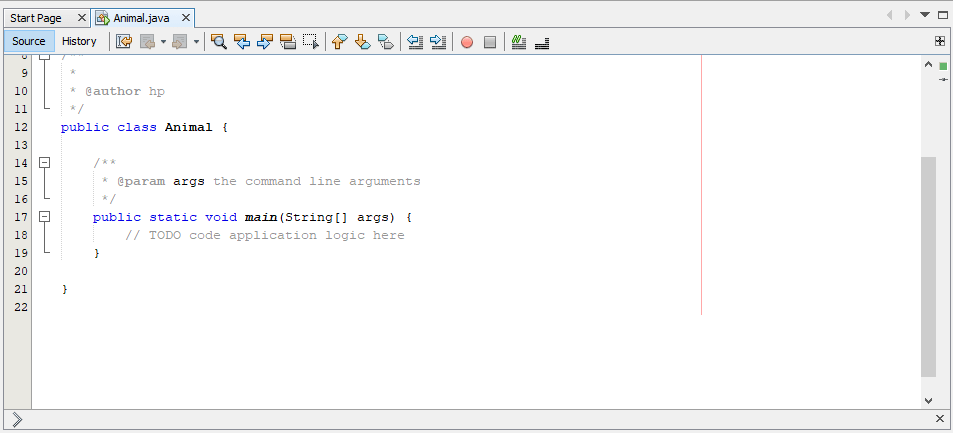
- You can now start writing the statements inside the curly brackets of the main method.
The next thing we are going to learn is how to run/ compile the program, Add the output statement, System.out.println(“Programming is great fun”); inside the curly braces of the main method as shown below.
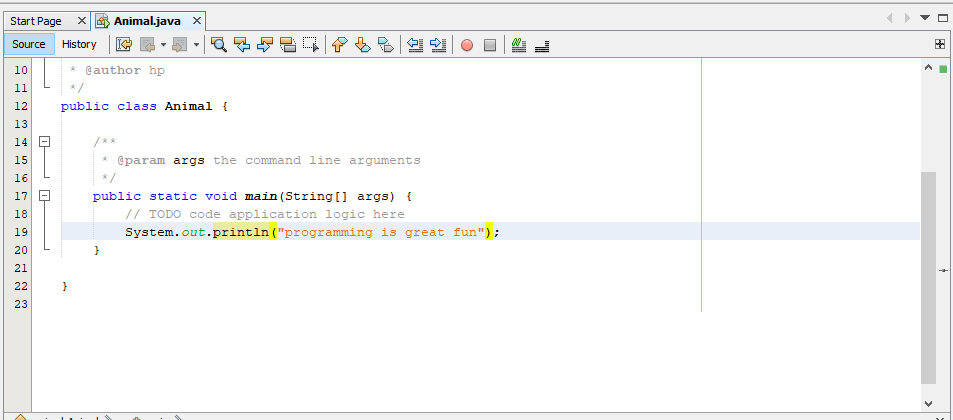
Press the green triangle button. i have circled it in red on the image below.

The output of the program after it has compiled without error will be displayed on the output section as shown below.
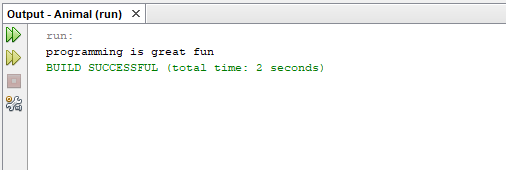
Above are the steps kindly follow along and do not skip any step.
 Study with Jamila
Nice post on this.
LikeLiked by 1 person